
Leganto March 2024 Release Notes
April 2024 Sneak Preview
-
Streamline access to digitation request form
-
Automatic status for citations with digitization requests
-
Finalize student usage dashboard
Main Features
NERS: Notify Users When Broken Links are Resolved
March 2024 Leganto URM-198790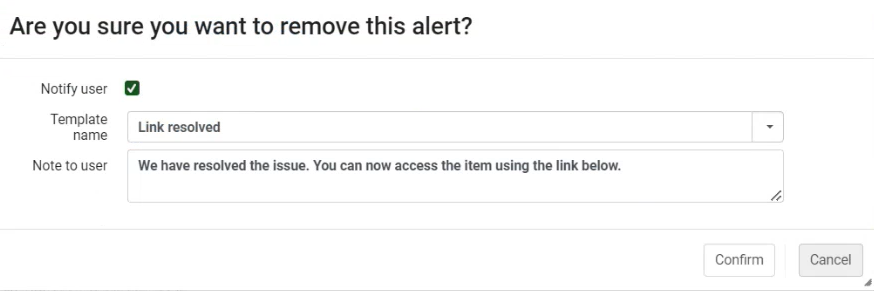 NERS Enhancement (ID #8438)
It is now possible to send notifications to users who have reported broken links when the library staff has resolved the issue. Upon selecting Remove to remove a broken link alert in Alma, the staff member is prompted to Confirm that they do want to remove the broken link alert. Additionally, the confirmation message now includes the option to send a notification to the user about the resolved link. To send the broken link notification, keep the Notify user checkbox checked and select the relevant notification template (configured from (Configuration > Leganto > Features > Broken Link Notification Template Name)) for the fixed link. The text from the template displays in the Note to user box, and can be customized if needed. There is one out-of-the-box template which reads "We have resolved the issue. You can now access the item using the link below."
If no template is enabled in Configuration > Leganto > Features > Broken Link Notification Template Name, the Leganto Marked As Broken Resolved Letter is sent without the Note to user text.
When the library staff member chooses Confirm, each user who reported the broken link receives the Leganto Marked As Broken Resolved Letter (Configuration > General > Letters > Letters Configuration). This letter is enabled by default.
The default text for the Note to user per template is customized in the Note to User(Configuration > Leganto > Features > Broken Link Notification) field. Library staff can override this text when sending the user notification.
Changes to the Note to user text in the alert are sent in the language in which they are inputted, not the user's configured language.
For more information, see Notifying Users When Broken Links are Resolved.
Automatically Trigger Copyright Clearance Form
March 2024 Leganto URM-209995
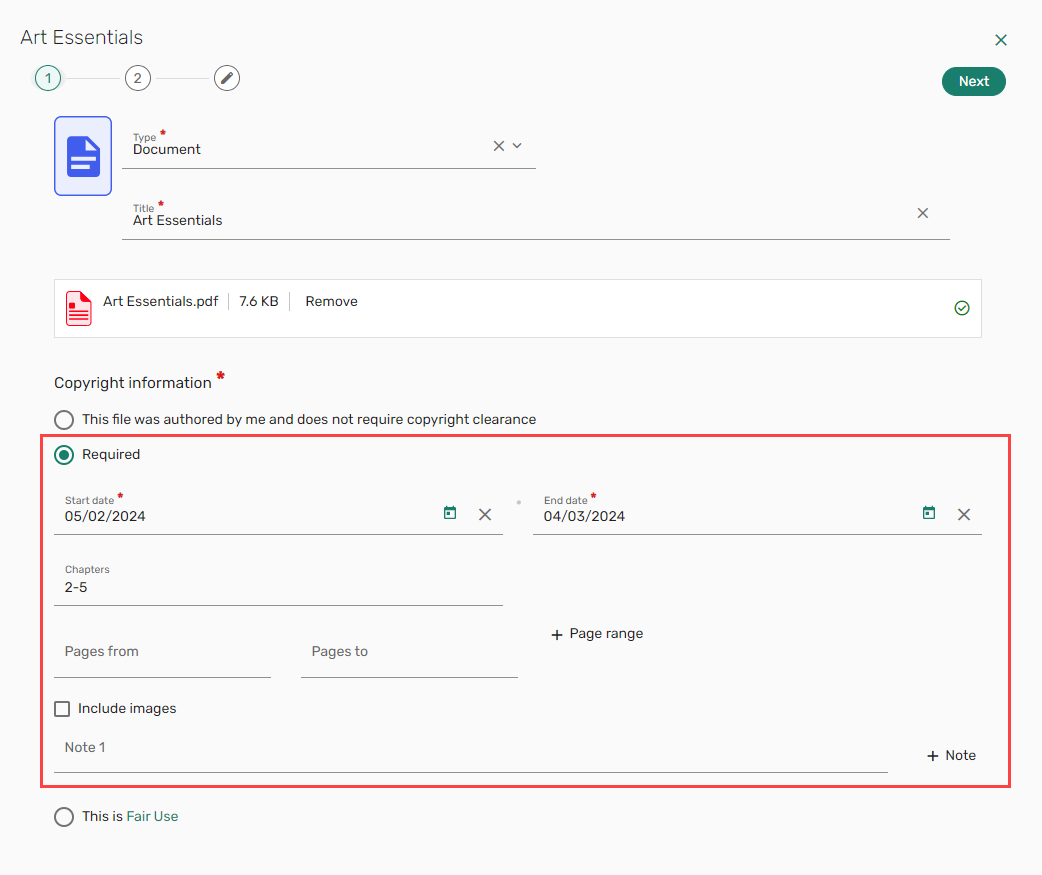
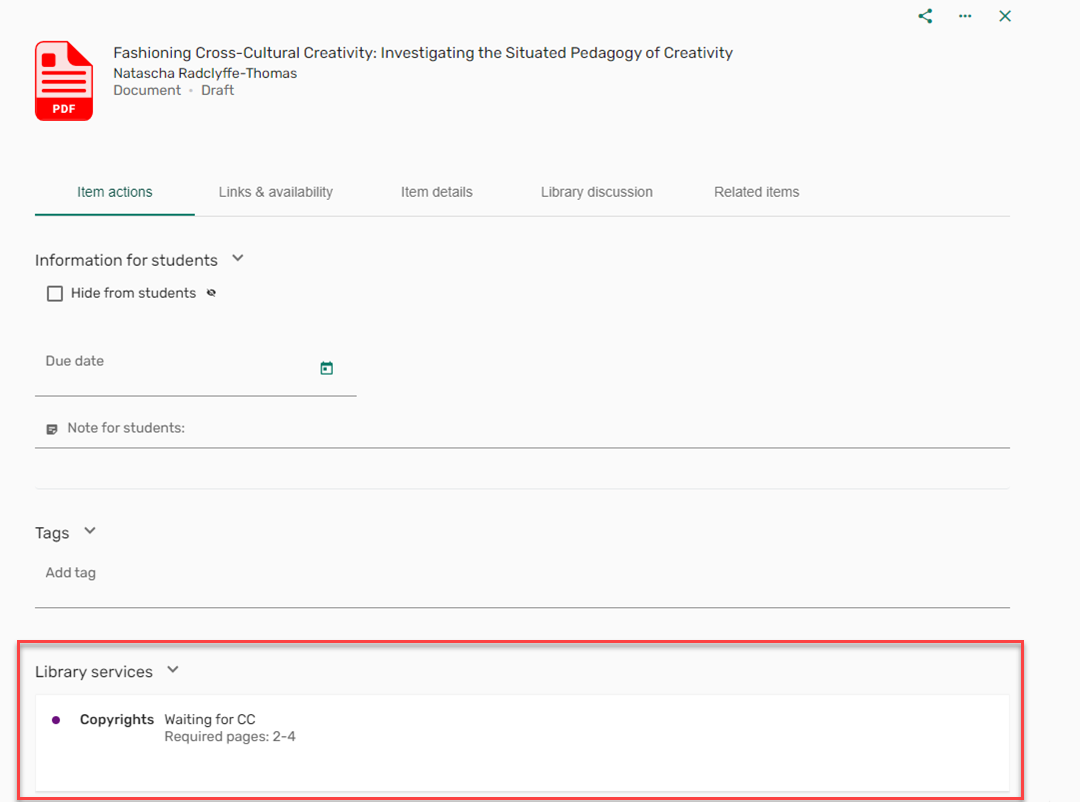
It is now possible to automatically trigger the copyright clearance form when a file is added to a citation in Leganto. To enable this feature, ensure that the parameter instructor_copyright_clearance(Configuration > Fulfillment > Copyright Management > Leganto Copyright Settings) is set to course_association. The copyright clearance form will appear when the list is linked to a course and the user selects a copyright option that is mapped to a Copyright Status (Configuration > Leganto > List Management > File Upload Copyright Options) that is not set to Self Declared,Fair Use,Declined, or Approved. The status of the copyright request is viewable in the Item actions > Library services section.
This feature is currently only applicable for newly added files. This feature will apply to existing items in a future release.
For more information, see Automatically Trigger Copyright Clearance Form.
Import Citations from EndNote
March 2024 LegantoURM-203570
When endnote_enabled(Configuration > Leganto > General > External Integrations) is set true, EndNote appears as an options in the Settings menu >Reference managers > Add citation managers.
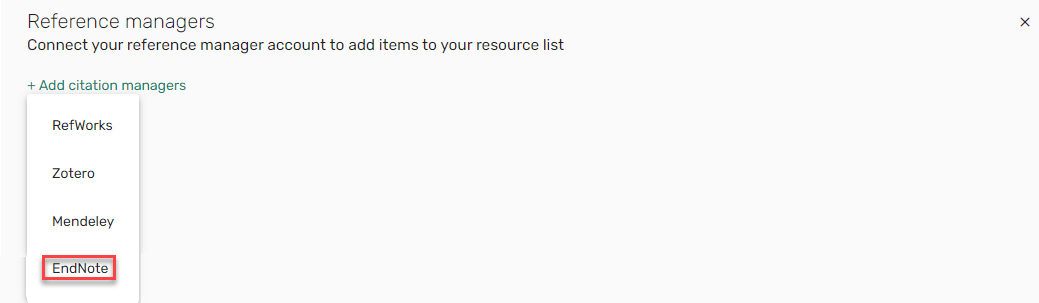
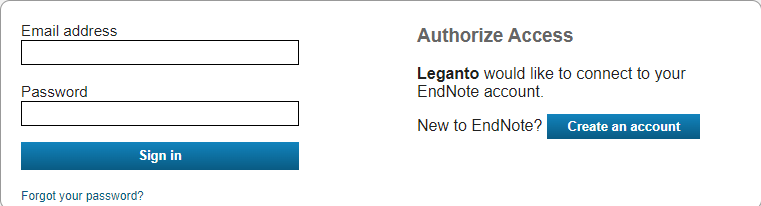
After selecting EndNote, you are prompted to authorize Leganto to access your EndNote account.
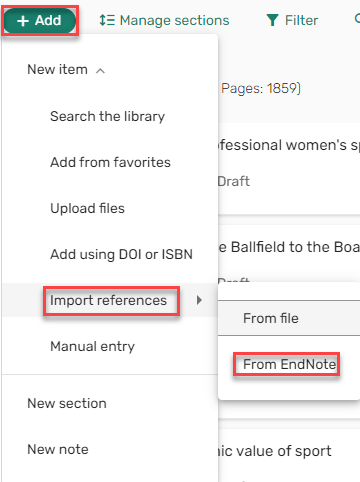
Once EndNote is added as a Reference manager, EndNote appears in the Add > Import references menu.
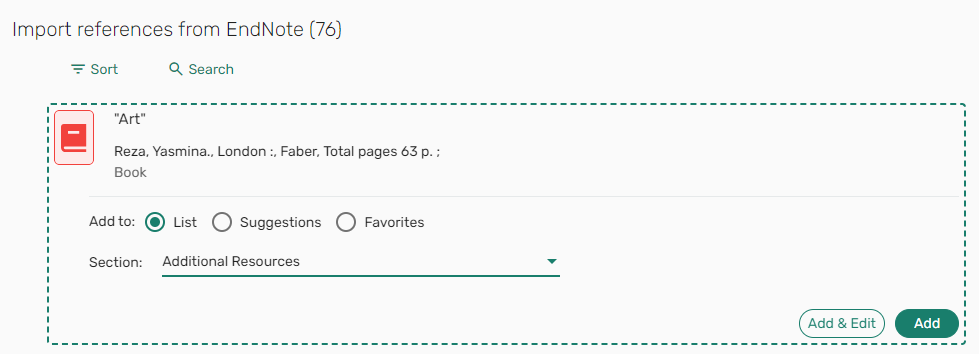
You can then import references from EndNote.
For more information, see Linking Leganto to an External Citation Manager.
Create Item from DOI or ISBN
March 2024 Leganto URM-198934
For institutions whose AUGMENTATION profile (Configuration > General > External Systems > Integration Profiles) is configured to work with CrossRef, when a citation containing a DOI is added, any missing metadata is now automatically added to the citation.
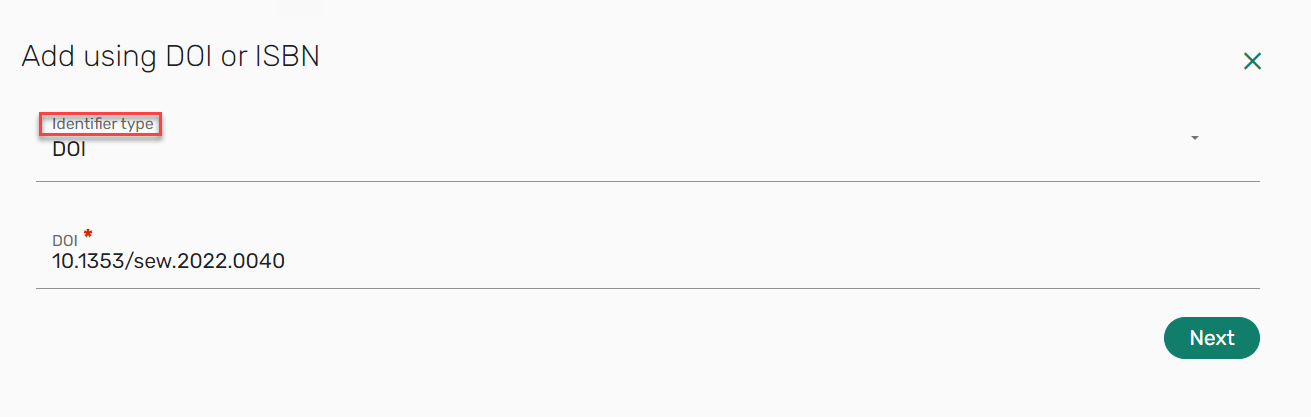
To add items, select an Identifier type on the Add using DOI or ISBN form (Add > Add Using DOI or ISBN) and enter the item's DOI/ISBN. The remaining metadata is then auto-populated when adding the item.
For more information, see Enriching Citation Metadata.
Additional Enhancements
-
March 2024 Leganto
 Idea ExchangeURM-207263 The List description, section Description, and note Description can now include formatting or links using the floating format menu that displays when adding the note. Select Save to save your changes.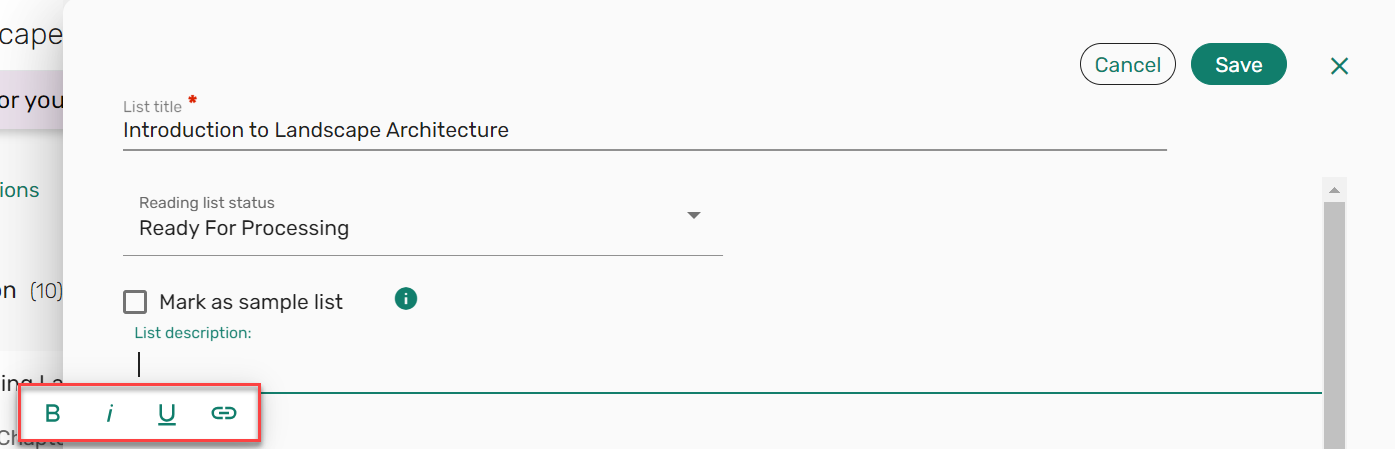
-
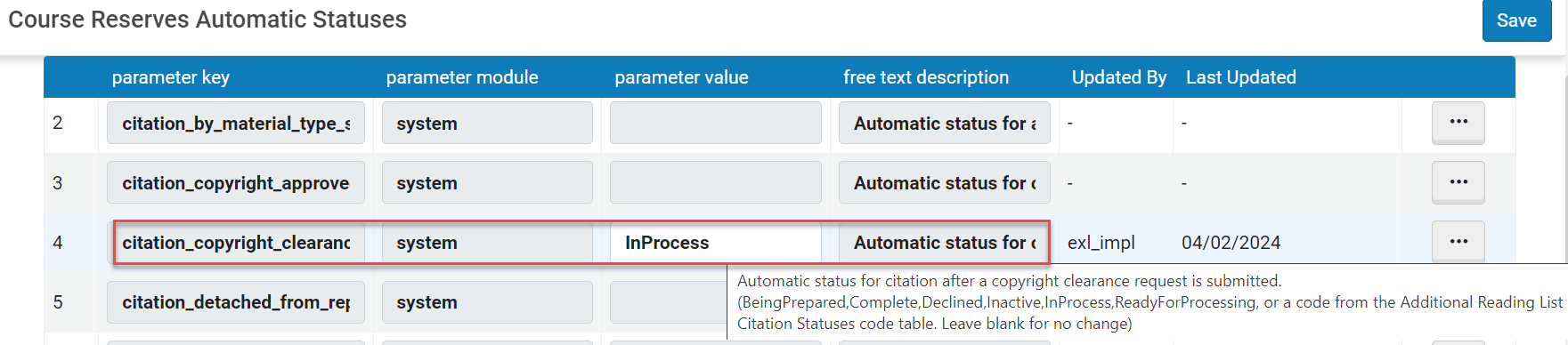
March 2024 Leganto URM-209993 You can now configure a citation status to be automatically applied when a copyright request is submitted by setting the status in the citation_copyright_clearance_submitted(Configuration > Leganto > List Management > Course Reserves Automatic Statuses) parameter.
-
March 2024 Leganto URM-199586 When filtering a list, you can now select multiple filters for Tags. The filter is applied using an OR condition rather than an AND condition.

Similarly, it is now also possible to select multiple filtering options when searching the library. Filters are applied using and OR operator.
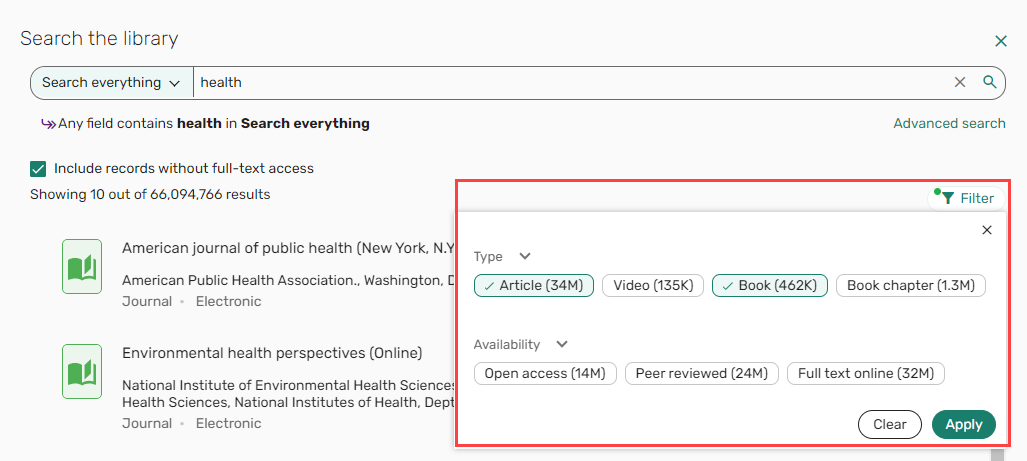
For more information, see Filter by Type or Availability.
-
March 2024 Leganto URM-204837 Tags and Private notes can now be added to Favorites in bulk.
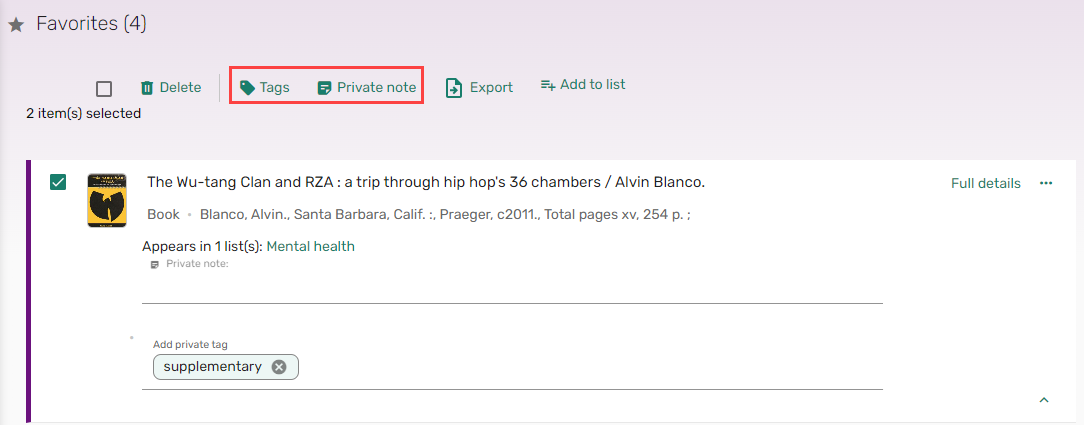
For more information, see Editing Favorite Items in Bulk.
-
March 2024 Leganto
Idea Exchange URM-210724 When sorting items by Author, for items that only have an Additional person and no Author, the Additional person is treated as an author, and the item is sorted according to the Additional person.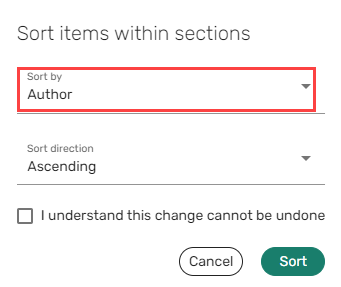
-
March 2024 Leganto URM-204837 SF: 06845810When the parameter grace_period_days(Configuration > Leganto > List Management > Copyright Settings) is set, the end date availability for items subject to copyright is now extended to include the amount of days configured in the parameter grace_period_days.
When a file is available for less than 30 days, the amount of days left, including the grace period, is displayed.
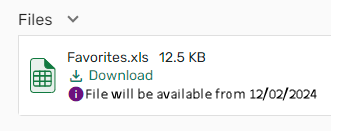
When the start date is in the future, an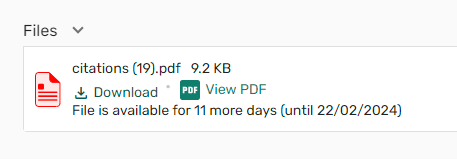
 icon with a tooltip is added indicating the availability from the start date to the end date, including the grace period is displayed.When there are seven days left for viewing the file, an
 icon with a tooltip is added indicating that the file is available for only seven days or less.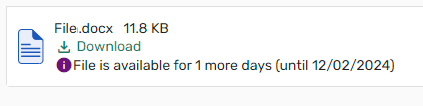
For more information, see Configuring Leganto Copyright-Related Procedures.
-
March 2024 Leganto URM-207426 Due to loading times, the default presentation for lists that contain more than 150 items is collapsed regardless of the settings in the parameter sections_collapsed(Configuration > Leganto > UI > Settings). Institutions that had previously configured all lists to be opened with sections collapsed specifically due to performance issues should consider changing the parameter to show sections expanded for all lists shorter than 150 items.
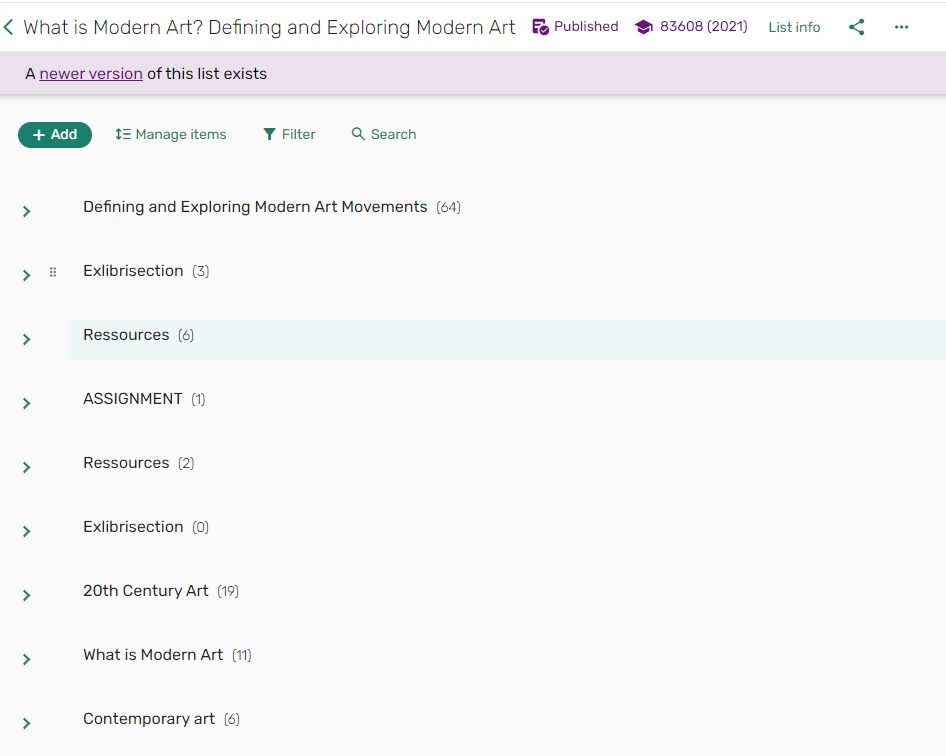
For more information, see Collapsing or Expanding a Section.
-
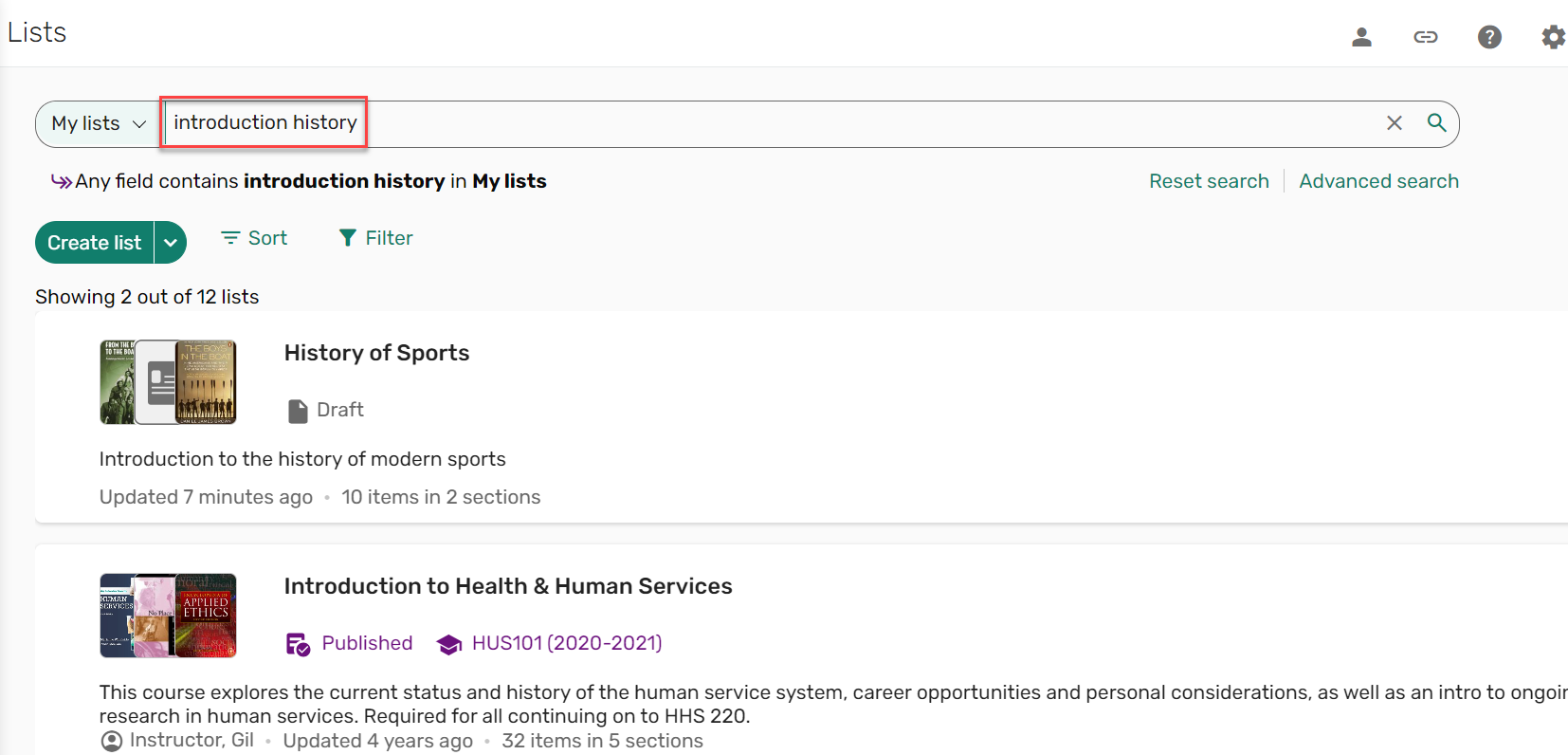
March 2024 Leganto URM-204810 When searching for a list, Leganto now returns lists that contain all of the search terms in any combination of searchable fields. For example, a search for "Introduction history" returns lists with "introduction" in the list title or description and "history" in the course name. This flexible search behavior makes it easier for users to find the lists they are looking for using the simple search.
-
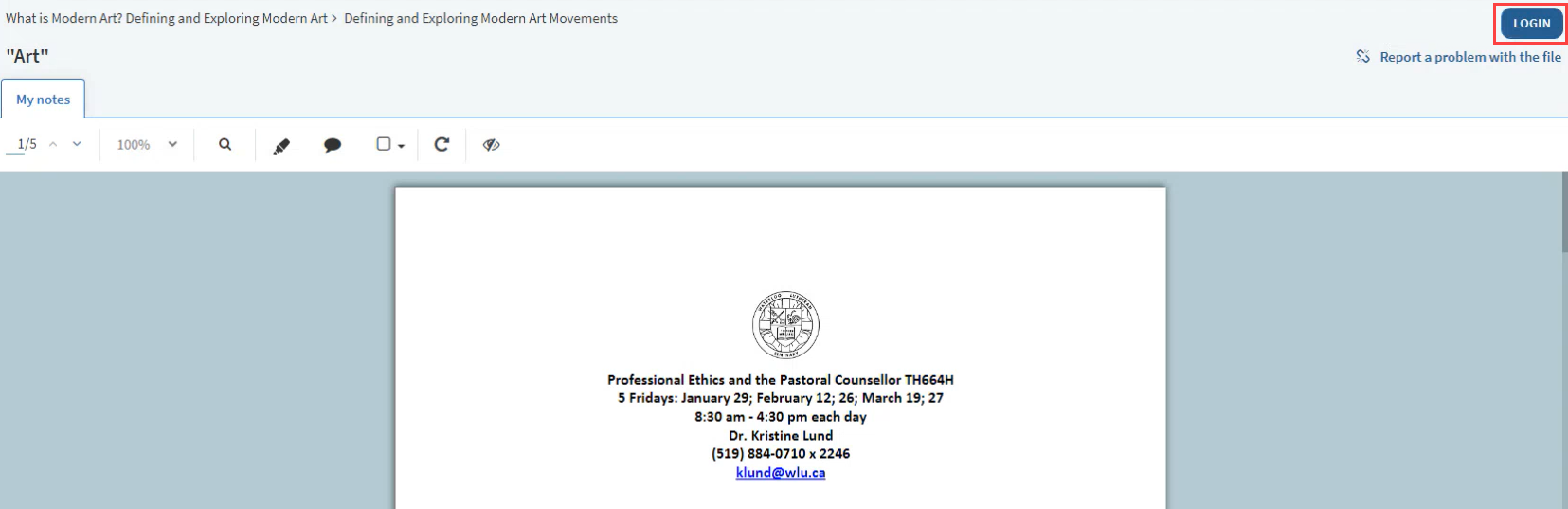
March 2024 Leganto URM-203423 When the parameter force_PDF_viewer(Configuration > Leganto > Features > Leganto Features) is set to true, when opening a shareable link to a PDF, the user is automatically directed to a PDF of the citation rather than to the full citation in Leganto. Files with copyright restrictions require the user to be logged in to view the citation. A LOGIN button is now available in the PDF viewer to enable users to log in to view the citation.
-
March 2024 Leganto URM-209534 URM-298577 URM-206300 URM-208689 URM-206429 URM-210599 URM-212577 SF: 07013893 Based on customer feedback,
- Libraries can provide students with access to multiple versions of an item by merging the availability into one title, as was available in the classic UI.
- When adding a manual entry, the Type field is now displayed first on the Manual entry form followed by the Title field.
- The design of the default item thumbnails has been enhanced.
- When searching for a list or within a list, if no results are found the user sees an empty state message instructing them to try adjusting their search.
-
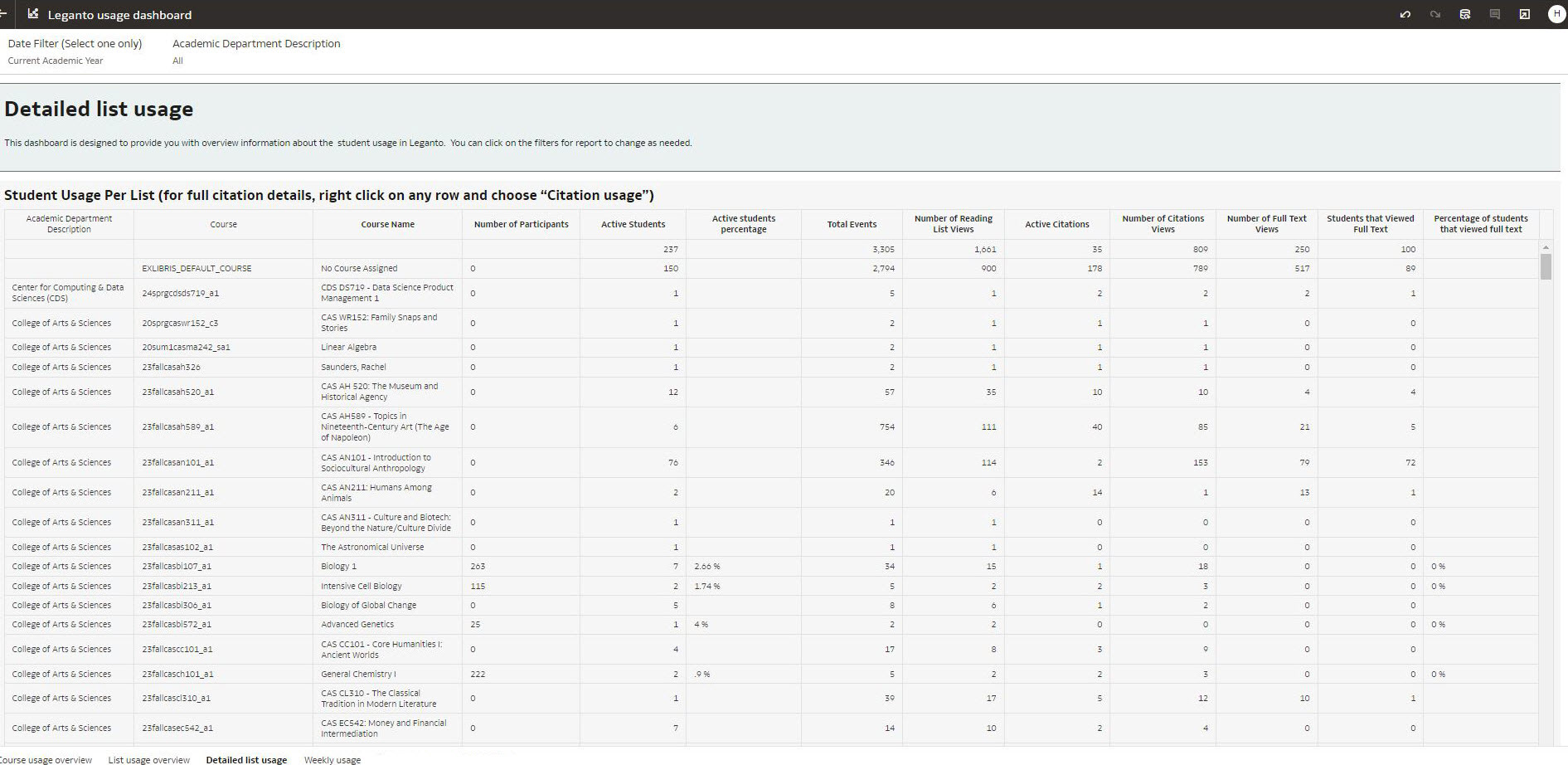
March 2024 Analytics and Insights URM-207647 The Detailed List Usage tab was added to the Leganto Usage DV dashboard. It provides a detailed list of student usage in Leganto:
Resolved Issues
| SF number | Description |
|---|---|
| URM-213413 07011530 07023526 07026384 | Previously, an incorrect Subject start date was displayed on the Leganto Analytics page. This was fixed. |
| URM-213202 06974506 | Previously, when adding a citation using CiteIt!, the citation did not appear on the List page until the page was refreshed. This was fixed. |
| URM-213298 07042088 | Previously, the Add tag label appeared twice. This was fixed. |
| URM-215400 URM-215109 07016253 | In some cases, collaborators were deleted when they should not have been. This was fixed. |
| URM-215389 URM-215109 07028684 | In some cases, the Alma language changed to match the Leganto language rather than remaining as is. This was fixed. |
| URM-213841 07042077 | Previously, instructors could see the option to upload files even when the parameter max_file_size_allowed_faculty_MB (Configuration > Leganto > General > Settings) was 0 or blank. This was fixed. |
| URM-213841 URM-213974 07016243 | In some cases, the Add button did not appear on the Lists page. This was fixed. |
| URM-213841 URM-215154 07034418 | Previously, the Advanced search in the new UI did not filter correctly. This was fixed. |
| URM-213841 URM-215109 07017461 | Previously, Sort by did not work correctly in the new UI. This was fixed. |
| URM-214858 06945691 | In some cases, Other formats and editions did not work as expected. This was fixed. |
| URM-214729 06995324 | In some cases, the Last Sent to Library was not displayed. This was fixed. |
| URM-214586 07024087 | When adding a citation using the API, the wrong status was set. This was fixed. |
| URM-214117 07014820 07018545 | Previously, when subject_tags (Configuration > Leganto > Features > Leganto Features) was set to false, Add subject was still displayed in Leganto. This was fixed. |
| URM-214117 URM-213950 07022620 | In some cases, the top screen functions were missing from the Lists screen. This was fixed. |
| URM-213691 07014473 | On the Class Discussion tab, the Highlighted icon was disabled but still functional. This was fixed. |
| URM-213306 07010029 | Previously, the Start Page2 and End Page2 were missing from the Citation Details section in Alma. This was fixed. |
| URM-214117 URM-213274 07010103 | Previously, there were discrepancies in the UILegantoNewLabels (Configuration > Leganto > General > Labels - New UI) table. This was fixed. |
| URM-213256 07012392 | In some cases, non-funded PPU options appeared in the View as student mode for CCC citations when it should not have. This was fixed. |
| URM-214117 URM-212890 07005689 | The student Note tooltip for instructors was too small. The text has been increased. |
| URM-212562 06985645 | Previously, the content of the Related items tab disappeared after editing an item. This was fixed. |
| URM-212554 06994628 | In some cases, moving an item from a search did not work. This was fixed. |
| URM-212531 06981828 | In some cases, the URL in the Document Delivery Notification Letter (Configuration > General > Letters > Letters Configuration) did not work. This was fixed. |
| URM-212409 06988131 | In some cases, selecting Also publish list to students when sending a list caused the list to be published rather than being sent for review. This was fixed. |
| URM-212372 06997038 | In some cases, Digitization/Copyright rules did not work as expected. This was fixed. |
| URM-212249 06959697 | Previously, links in the Notes field coming from Primo did not open the correct URLs. This was fixed. |
| URM-212179 06978287 | Previously, when adding items with a CC license to Favorites, the license was removed. This was fixed. |
| URM-211690 06853082 | Previously, the No list expected column was missing from the exported report (Fulfillment > Courses > Export > all fields or current view). This was fixed. |
| URM-210694 06909148 06949078 06978745 | Previously, the DCS Synchronize job (Admin > Jobs > History > DCS) report indicated that "DCS course was not found" even when the course was found. This was fixed. |
| URM-210245 06954571 | Previously, when LIST_ADD2 was enabled to Yes, the description event_type_displayed was empty on the Leganto Detailed Notifications Email Letter (Configuration > General > Letters > Letters Configuration). This was fixed. |
| URM-207579 06907277 06994639 | Previously, when general_message (Configuration > Leganto > Features > Leganto Features) was configured, the UI did not render correctly. This was fixed. |
